






AI Avatar & Clones
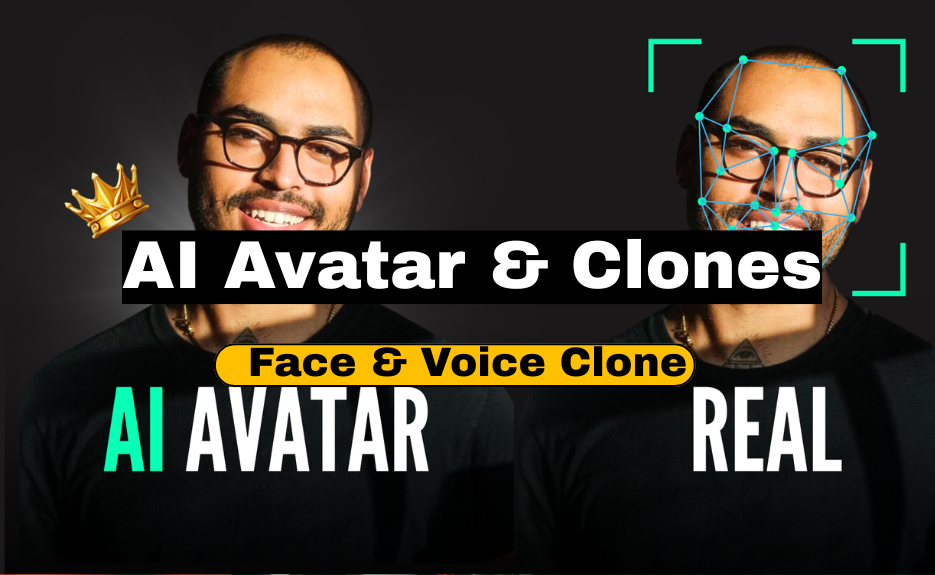
AI Avatar & Clones

By
Jordan Walk
-
Last Update
Dec 09, 2025
-
Available
Students
-
(5 / 4 Rating)
AI Avatar & Clones — Complete Deep Guide (How to make face clones, voice clones, and animated AI avatars — step-by-step, long & detailed)
Below is a complete practical guide that explains — in depth — how modern AI avatars and “clones” are made, the kinds of systems involved, step-by-step pipelines for consensual cloning (your own likeness or with explicit written permission), tools and open-source alternatives, data capture and quality tips, training/finetuning guidance, how to animate/lip-sync, deployment options (real-time vs prerecorded), compute/cost considerations, and critically — legal & ethical safety rules you must follow. I also include safer alternatives if you cannot or should not clone a real person.
Important legal/ethical rule up front:
You must never create a face or voice clone of someone without their explicit, documented consent. Many countries have laws about voice/face impersonation and privacy — misuse can lead to criminal liability. I will show how to do it responsibly and give safer alternatives.
1. Overview — types of “avatars” & “clones”
-
Face clone / deepfake (photo/video synthesis) — generate or replace a person’s face in images/videos. Tools: DeepFaceLab, First Order Motion Model, FaceSwap, commercial services (D-ID, Reface).
-
Voice clone / TTS clone — create a synthetic voice that sounds like a specific person. Tools: ElevenLabs, Respeecher, Descript Overdub, open-source (Coqui TTS, VALL-E research implementations, RVC for singing/voice conversion).
-
Full talking avatar (multimodal) — combine a face model (animated head/viseme/lip sync) + voice model + gestures & expressions. Tools/services: Synthesia, Hour One, Lyrebird/Descript/Respeecher + D-ID, MetaHuman + Unreal Engine + audio-driven face animation.
-
Stylized avatars — cartoon/3D avatars not tied to real person (safer, often preferred) — tools: MetaHuman, Ready Player Me, Blender, iClone.
2. Legal & Ethical Checklist (READ THIS FIRST)
-
Always get explicit written consent from any person whose face/voice you will clone. Keep the consent record.
-
Use clones only for agreed purposes; never to deceive, defraud, harass, or impersonate in ways that harm.
-
Disclose usage: when publishing, label content as synthetic/AI-generated where applicable.
-
Respect local laws on biometric data, voice recordings, deepfakes, and copyright.
-
Security & storage: store source media and models securely; they are sensitive.
-
Watermark & metadata: add visible or invisible watermarking to synthetic media to prevent misuse.
-
Fallback & human-in-the-loop: for important decisions, use human review rather than fully automated responses.
If you can’t meet the above, use stylized avatars or hire actors and syntheticize their voice only with consent.
3. High-level pipelines (two safe scenarios)
A. Create a consenting-person avatar (yourself / client consenting)
B. Create a stylized / generic avatar (no real-person cloning) — recommended if consent unavailable
I'll give step-by-step for both A (consenting clone) and B (stylized avatar).
4. What you need (hardware, data, accounts)
Hardware
-
For local training: good GPU (NVIDIA RTX 3060/3070 or better). For heavy training: RTX 4090 / A100 or cloud GPU (AWS/GCP/Oracle/RunPod).
-
CPU: modern multi-core (for preprocessing).
-
Disk: SSD for project files; backup drive.
-
Microphone: good condenser or lavalier for clean voice capture.
-
Camera: at least 1080p, ideally 4K for face model quality. Good lighting is essential.
Software & services (examples)
-
Face tools: DeepFaceLab, First-Order-Motion-Model, FaceSwap, D-ID (service), Reface (service).
-
Voice tools: ElevenLabs, Descript Overdub, Respeecher, Replica, Coqui TTS (open), RVC (voice conversion), Tacotron2/FastSpeech2 + HiFi-GAN pipelines.
-
Lip-sync: Wav2Lip (open-source).
-
Avatar engines: MetaHuman (Unreal), iClone, Ready Player Me, Blender.
-
Automation / orchestration: Python, FFmpeg, Docker.
-
Storage / dataset tools: Google Drive, Dropbox, or cloud buckets.
-
Optional: Unity/Unreal for real-time avatars.
Accounts
-
API keys for OpenAI / ElevenLabs / D-ID / other services you plan to use.
5. Data capture & dataset quality (face + voice)
Face dataset (for cloning or face-swap)
-
Capture multiple expressions: neutral, smile, frown, speaking.
-
Capture multiple angles: straight, left/right 15°, 30°, 45° (if building a high-quality 3D/2D model).
-
Lighting: soft, even lighting; avoid harsh shadows. Use diffused key light + fill light.
-
Background: simple, uncluttered. For some methods you’ll need segmentation masks — plain backgrounds help.
-
Resolution: 1080p minimum, 4K preferred for production.
-
Quantity: more is better — for deepfake training hundreds to thousands of frames (or minutes of video) is common. For some encoder-based pipelines you can get away with fewer images using advanced models (First Order Motion Model can animate a single image using a driving video).
-
Motion & speech: record a driving video of someone speaking with expressiveness to provide motion sources.
Voice dataset (for voice cloning)
-
Clean recordings: quiet room, no reverberation. Use pop shield.
-
Sample rate: 44.1kHz or 48kHz recommended. Consistent sample rate across dataset.
-
Content variety: sentences with various phonemes, emotional variations, different speeds.
-
Quantity: commercial systems (ElevenLabs, Respeecher) can create good clones with 1–10 minutes of clean speech; higher fidelity needs 30+ minutes or more. Open-source TTS fine-tuning often needs longer (several hours) for best naturalness.
-
Transcript alignment: keep accurate transcripts for supervised training.
-
Consent: ensure voice owner signs consent.
6. Face cloning — step-by-step (consensual)
Option 1 — Quick & safe (use a commercial service)
-
Choose a service with consent flows and compliance: D-ID, Rephrase.ai, Synthesia (Synthesia focuses on avatars not direct cloning), or similar.
-
Provide required assets: headshot(s) and short video (as per their specs). Upload consent form signed by subject.
-
Use their UI to generate talking avatar videos (upload script or TTS audio). They handle lip sync and animation.
-
Download video; watermark/label as synthetic for ethics.
Pro: fast, no GPU, usually high quality.
Con: cost, less control, vendor lock-in.
Option 2 — Open-source pipeline (more control, more technical)
A. Preprocess & extract faces
-
Use
ffmpegto split source video into frames. -
Detect faces with
dliborMTCNNto crop aligned face images. Save aligned frames. -
Optionally compute facial landmarks (68-point) for later mapping.
Commands (example):
# extract frames
ffmpeg -i source.mp4 -vf fps=25 frames/frame_%05d.png

# face detection & cropping: use a python script with mtcnn or dlib
B. Choose model
-
DeepFaceLab: widely used for face swapping; training a model on two sets of faces (source & target).
-
First Order Motion Model (FOMM): animate a single source image using a driving video (good for talking-head from a single photo).
-
SimSwap / FaceShifter: more modern approaches focusing on identity transfer.
C. Train (if needed)
-
For DeepFaceLab: prepare
data_src(source person images) anddata_dst(target), choose model (H64, H128), and train until loss stabilizes (can take many hours/days on GPU). -
Save checkpoints often. Use data augmentation to improve generalization.
D. Convert & refine
-
Use model to convert target frames.
-
Postprocess: color correction to match skin tone & lighting, blending for hair/edges. Use OpenCV or DeepFaceLab’s built-in tools.
-
Reassemble frames with original audio:
ffmpeg -framerate 25 -i converted/frame_%05d.png -i original_audio.wav -c:v libx264 -pix_fmt yuv420p out.mp4
E. Lip synchronization & quality
-
If audio is different, use Wav2Lip to lip-sync the generated face to audio (it performs robust lip alignment). Wav2Lip inputs a video and an audio file and outputs synced video.
F. Review & watermark
-
Review for artifacts; use manual touchups or AI inpainting. Always add a visual watermark or mention synthesized content in the video description.
Time & cost: depends on data & GPU; DeepFaceLab pipelines can take from hours to days.
7. Voice cloning — step-by-step (consensual)
Option 1 — Commercial services (fast, high quality)
-
ElevenLabs, Respeecher, Descript Overdub, Play.ht, Replica: provide voice cloning via uploads + consent.
-
Steps: record required minutes per their spec, upload transcripts, provide consent. They return a synthetic voice model you can call via API to generate speech from text.
Pro: extremely good naturalness, simple UI, safety/consent flows.
Con: cost and limited customization.
Option 2 — Open-source pipeline (more control)
Common open-source approaches use two parts:
-
TTS model for mapping text → mel spectrogram (e.g., Tacotron2, FastSpeech2).
-
Vocoder to convert mel → waveform (e.g., HiFi-GAN, MelGAN).
Simplified steps:
A. Prepare dataset
-
Align audio with transcripts (forced alignment tools like Montreal Forced Aligner).
-
Normalize audio levels, sample rates. Trim silences.
B. Train or fine-tune a TTS model
-
Choose a model: FastSpeech2 (fast) or Tacotron2 (more sample efficient).
-
Fine-tune on target voice dataset (hours recommended for natural output). Use transfer learning from a pretrained multi-speaker model.
C. Train / use a vocoder
-
Use HiFi-GAN or WaveGlow trained or fine-tuned on the same voice to get natural waveform.
D. Inference
-
Input text → TTS model → mel spectrogram → HiFi-GAN → audio waveform (wav).
-
Optionally, run postprocessing (equalization, normalization).
Alternative approach: voice conversion / one-shot
-
Tools like RVC or research systems (VALL-E style) let you clone voice with few seconds to minutes by converting a source speech into target voice timbre — useful if you want to preserve natural prosody and only change timbre.
Hardware: training is compute expensive — cloud GPU recommended.
8. Combining face + voice (full talking avatar)
Approaches:
-
Pre-recorded pipeline: Synthesize voice audio from text (ElevenLabs / TTS) → use driving video animation or face swap model to produce video with matching lip movement. Wav2Lip can align perfectly. Good for prerecorded marketing videos.
-
Real-time pipeline: For live avatars, you need low-latency TTS and real-time animation:
-
Use a real-time TTS API (low latency) + a real-time facial animation engine (Unreal + MetaHuman with Live Link Face or Dynamixyz) + audio-driven viseme mapping.
-
Tools: Unreal Engine MetaHuman + Live Link Face (captures expressions from iPhone), or Avatarify/FaceRig alternatives for webcams. Real-time voice conversion (e.g., voice gateway) + streaming.
-
-
3D avatars: Use MetaHuman or Ready Player Me, drive mouth and facial expressions via viseme mapping from audio (phoneme → mouth shape) and facial motion capture for expressions.
Workflow (prerecorded example):
-
Create or clone voice (TTS).
-
Create face animation: either drive with a pre-recorded actor video or animate a still face with FOMM or D-ID.
-
Improve lip sync with Wav2Lip.
-
Do color grading & final mixing.
-
Export and watermark.
9. Tips & best practices for high quality
Face
-
Higher resolution source vs low resolution target decreases artifacts.
-
Keep background and hair transitions clean; manual rotoscoping may be needed for hair.
-
Use color transfer to keep skin tones consistent across scenes.
Voice
-
Use noise reduction and consistent microphone technique for source recordings.
-
Use expressive recordings for rich reusability.
-
For TTS, prosody control (SSML-like features) improves naturalness.
General
-
Test with short samples first.
-
Keep a human-in-the-loop for safety and quality checks.
-
Use adversarial or validation checks to detect hallucinations in generated speech.
10. Compute, cost & timeline estimate
-
Using a commercial service: minutes to a day; low technical overhead; cost varies per minute or per model (could be $10–$500+ depending on usage).
-
Open-source local training: requires GPU(s); small experiments can run on consumer GPU in hours; high-quality voice/face models often need days on high-end GPUs or many hours on cloud GPUs; cost could be $50–$200+/day on cloud.
-
Maintenance: model updates, prompt tuning, monitoring.
11. Safety features & detection
-
Add visual watermarks and "synthetic" captions in metadata.
-
Use digital watermarking (invisible) if possible.
-
Keep logs so you can demonstrate consent and provenance if asked.
-
Consider embedding provenance metadata (e.g., C2PA standard) showing AI creation.
12. Safer alternatives & recommended approach if you don't have consent
-
Stylized avatars: Create a unique cartoon/3D character using Ready Player Me, MetaHuman, Blender, or a generative image model (Stable Diffusion → image → 3D pipeline). Then use TTS (non-imitative) to voice the avatar. This avoids copying a real person.
-
Hire voice actors: record real actor + use mild voice modeling with consent for scaling.
-
Use actor + avatar: film an actor and map to stylized avatar rather than cloning a private person.
13. Example toolchain recipes (practical quick recipes)
Recipe A — Fast marketing video (no local training)
-
Use ElevenLabs to create speech from text (choose voice or create clone with consent).
-
Use D-ID or Synthesia to create lip-synced video from headshot + audio.
-
Add captions in Premiere/CapCut; watermark; export.
Recipe B — Open source creative (more control)
-
Use a source photo + First Order Motion Model + driving video to animate.
-
Generate audio with open TTS (Coqui or FastSpeech2 + HiFi-GAN) or ElevenLabs API.
-
Refine lip sync with Wav2Lip.
-
Color grade and export.
Recipe C — Real-time avatar stream
-
Character: MetaHuman in Unreal.
-
Face capture: Live Link Face app (iPhone Pro).
-
Voice: real-time TTS or voice conversion server.
-
Stream via OBS.
14. Evaluation & quality metrics
-
Face: identity preservation (does it look like target?), visual artifacts, lip sync error, frame consistency, temporal flicker.
-
Voice: MOS (mean opinion score) for naturalness, speaker similarity score, intelligibility, prosody.
-
User testing: A/B test viewer perception; ensure transparency.
15. Example ethical usage scenarios (good uses)
-
Marketing videos where actor consented and is credited.
-
Accessibility: generating voice for users who lost their voice (with consent).
-
Entertainment & movies with licensed actors.
-
Training avatars for customer support that are synthetic, not impersonations.
16. Learning resources & where to practice safely
-
Read tool docs (ElevenLabs, D-ID, Synthesia) for best practices and consent requirements.
-
Learn DeepFaceLab / First Order Motion Model repos on GitHub (study examples).
-
Practice voice cloning with your own voice: record 30–60 minutes of clean audio and experiment with Coqui TTS or Descript Overdub.
-
Study Wav2Lip and RVC GitHub repos for lip sync and voice conversion experiments.
17. Quick step-by-step checklist (short) — for a consenting-person full avatar
-
Get written consent.
-
Capture high-quality face footage (varied expressions, angles) + high-quality voice data.
-
Choose toolchain: commercial (fast) or open-source (control).
-
Preprocess media (frames, aligned faces, transcripts).
-
Train/fine-tune face & voice models or upload to service.
-
Generate audio and animate face; use Wav2Lip for lip sync if needed.
-
Postprocess: color, audio mixing, remove artifacts.
-
Add watermark/disclosure.
-
Obtain final legal signoff from subject; publish.
18. Final words, ethics reminder & offer
AI avatars and cloning are powerful tools. They can be used for amazing positive applications (accessibility, entertainment, making engaging content) — but they can also cause harm if misused. Please always prioritize consent, transparency, and legal compliance.
If you want, I can now (pick any and I’ll produce it immediately in this chat):
-
Create a detailed checklist & camera/audio specs PDF/Word you can use to capture perfect source data.
-
Produce safe, step-by-step scripts for a 2-minute marketing avatar video using a consenting person (scripts for capture, consent text, upload instructions to a commercial service).
-
Provide open-source command examples (ffmpeg, Python snippets) to preprocess face frames and run Wav2Lip inference (I can include code).
-
Draft a consent form template (written consent) you can use before recording someone’s face & voice.
Tell me which of the above you want next and I’ll create it straight away.
This Course Includes
-
Lessons
10 -
Duration
30 Days -
Skill Level
Beginner -
Language
Hindi ,English -
Certificate
After Completion -
Deadline
Open Enrollment